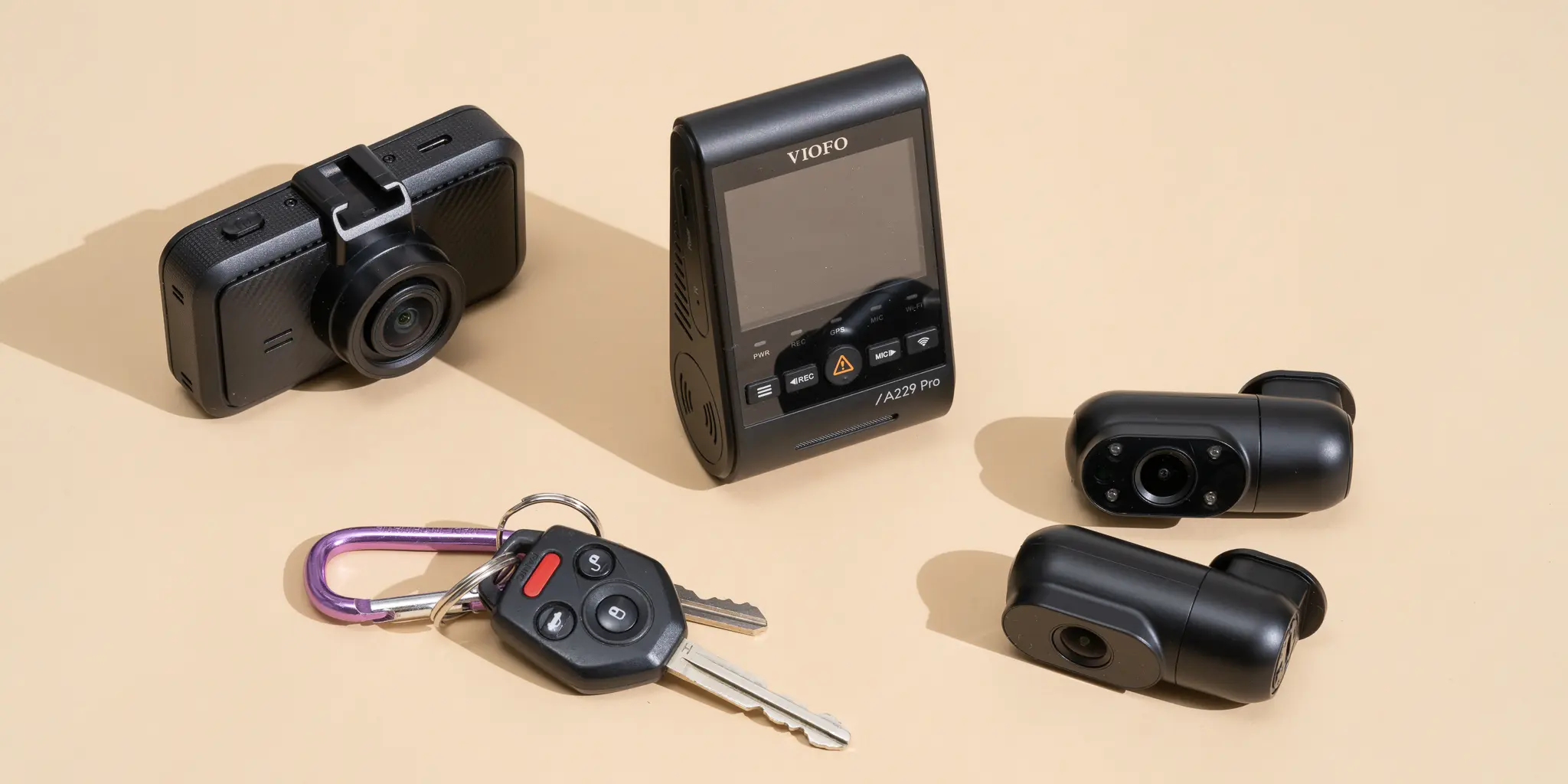
Dash cam footage ends arguments that would otherwise be one driver's word against another's. In low-speed crashes and intersection disputes with no independent witnesses, insurers and police often side with whoever tells a clear, well-supported story first, unless there's video showing something different. Sharp footage of a red light, your lane position, or how close the other car was following can mean a claim settled in days instead of weeks, and a repair bill paid by the other driver's insurer instead of yours.
The money alone makes a strong case. A $200 to $300 camera can pay for itself many times over in a single incident. The bigger reason, though, is having a factual record when memories and stories don't match. Driver assistance systems have also added new kinds of fault disputes, like whether a car was on Autopilot at the time. An objective record of what happened has gone from nice to have to something close to essential.
Below are the seven dash cams we'd recommend in 2026, chosen after weeks of daily driving in different conditions, vehicles, and mounting setups.
How We Evaluated These Cameras
Spec sheets and real-world results often don't match with dash cams, so how you judge them matters. We compared these seven on four things: daytime video (mainly whether you can read license plates at different distances and speeds), night video (parking lots, uneven street lighting, and highway merges), how reliable and adjustable parking mode is, and the overall experience, including the app, installation, and support.
Each camera was used for at least two weeks of daily driving, including at least two highway trips of 100 miles or more to check for overheating and dropped recordings. We watched the footage on the cameras' own screens and at full resolution on a 27-inch monitor, looking at plates, lane markings, and traffic lights. Parking mode was tested overnight in a covered garage and outdoors across a range of temperatures.
1. Viofo A329S: Best Overall (~$249)
The Viofo A329S takes the top spot for 2026. It has the best front camera in its price range, a strong rear camera, and the most flexible parking mode of the group. For $249, it's hard to beat on performance, features, and value, even against cameras costing up to $350.
The front camera uses Sony's Starvis 2 sensor, the current generation, which handles low light clearly better than the original Starvis in older cameras like the Viofo A129 Plus. In practice, plates stay readable in situations where older cameras smear them into a blur, such as at 65 to 75 mph with a car crossing your path, or at night when some of the scene is under streetlights and some is in shadow. It records 4K at 30fps with a high bitrate, so fine details survive instead of getting crushed into blocky compression.
The 2K rear camera is visibly sharper than the 1080p rear cameras you'll find at similar prices. If someone rear-ends you and drives off, that extra resolution can be the difference between a readable plate and a useless one, especially after dark. That's the most common kind of crash where dash cam video ends up mattering, and the A329S handles it well.
To use parking mode, you'll need the hardwire kit, sold separately for about $18 to $25. It connects the camera to your fuse box and cuts power if the battery gets too low. Once it's wired in, you get three parking options. Motion detection starts recording when something moves in the frame. Time-lapse records continuously at a low frame rate, so you have a record of everything around the car. Impact detection records when the G-sensor feels a bump, even with nothing moving on screen. Between them, they cover almost any parking lot scenario, including the hit-and-run where the other car is gone before motion detection kicks in but the G-sensor still catches the impact.
The one fair complaint is the app. It works, and you can download clips, change settings, and watch live video, but it's not as polished as Garmin's or Nextbase's. The menus are clunkier, updates come less often, and connecting your phone to the camera over Wi-Fi takes noticeably longer. If a slick app matters most to you, look at Garmin or Nextbase. If you want the most camera for your money, get the A329S.
2. Vantrue N4 Pro: Best Three-Channel (~$280)
The Vantrue N4 Pro is for anyone who carries passengers regularly and needs to record inside the car as well as front and rear. Rideshare drivers, people who drive kids for childcare, and employers who transport staff all fit here. Its cabin camera uses infrared, so it can record the interior in total darkness with faces still recognizable, thanks to IR lights and a sensor tuned for that job.
The interior camera impressed us at night. At 2 a.m. in a pitch-black garage with the dome light off, we could still make out a rear-seat passenger's clothing and rough age from the footage. Under typical parking garage lighting, the image was clear enough to back up a police report. For rideshare drivers who occasionally deal with a difficult passenger, this isn't a theoretical benefit. It offers both legal protection and a deterrent.
The front camera records in 4K on a Starvis 2 sensor, while the cabin and rear cameras record in 1080p. That rear camera is a step down from the A329S's 2K rear, and in darker scenes behind the car the Viofo pulls a little ahead on plate detail. If you don't need an interior camera, the A329S is better value. If you need three channels, the N4 Pro has no real rival at this price.
The Vantrue also feels better built than the Viofo. The mount, the cable management bits in the box, and the camera body all feel more premium. Vantrue's customer service and firmware updates also have a good reputation among dash cam enthusiasts.
3. Garmin Dash Cam Mini 2: Best for Discretion (~$130)
The Garmin Mini 2 stands apart for one reason: it's small enough to disappear behind your rearview mirror, so from outside the car you can't see it. It's about the size of a car key, weighs roughly an ounce, and sticks on with a small adhesive pad above the mirror.
The 1080p video is good enough for its main job, which is capturing what happens in your lane: the cars, the traffic lights, and where everyone was. Daytime footage is good, and night footage is acceptable. Its limits show up in tougher situations. Reading plates at highway distances after dark is hit-or-miss at 1080p, and there's no rear camera unless you buy a second unit. If you mainly want a record of what happens in front of you, that's fine. If readable plates in tough conditions matter most, you'll want a 4K camera.
Garmin's app is the best of the bunch. It's clean, stable, quick to connect, and updated regularly. If you already use Garmin gear, it plays nicely with the rest of the lineup. Voice commands let you save a clip without taking your hands off the wheel. With Garmin's Vault cloud service, you can also store important clips online, so they're safe even if the memory card fills up or the camera is damaged in a crash.
If you want a camera you can install in five minutes, with no cables to route, that just quietly records in the background, the Mini 2 is the one. If you want coverage from every angle and the best possible image, look at the Viofo or Vantrue.
4. BlackVue DR970X-2CH: Best Cloud-Connected (~$494)
The BlackVue DR970X-2CH plays a different game from the rest of this list. It's as much a remote monitoring and fleet tool as a personal dash cam. The $494 price reflects that. You're paying for features a single personal car mostly won't use, but that make a big difference if you run several vehicles or need to see footage without being near the car.
The cloud service is what sets it apart. With LTE connectivity (built into the LTE versions, or added with a module and a data plan), the BlackVue app lets you watch a live view of your parked car from anywhere. You'll get alerts when the parking G-sensor triggers, can download clips without touching the SD card, see where the car is on a map, and look back at past trips and driving events. For a parent keeping an eye on a teenager's car, a small business with a few delivery vans, or anyone who parks somewhere sketchy, that's valuable.
Video quality is solid: 4K up front and 1080p Full HD at the rear, using Sony Starvis sensors. It isn't the sharpest for the money; the Viofo A329S costs half as much and matches or beats it, especially from the rear camera. But it's more than good enough for evidence. BlackVue's cloud software is also the most mature fleet platform in consumer dash cams, with GPS tracking and driving reports that go well beyond what Viofo or Vantrue offer.
If you own one car and don't need remote access, the BlackVue's price is hard to justify when a Viofo or Vantrue gives you as good or better video for half the money. If you need fleet management, remote viewing, or live alerts, nothing under $600 does it better.
5. Nextbase 622GW: Best User Experience and Emergency SOS (~$180 front only)
Nextbase has long been the brand that puts the most thought into ease of use, and the 622GW carries on that tradition with two features most rivals don't bother with: image stabilization and Emergency SOS.
The stabilization is electronic and smooths out footage on rough roads. Most dash cams record every jolt, so on a potholed city street or gravel road, the video bounces up and down, which makes clips harder to review and tiring to watch. The 622GW takes out a lot of that bounce. On smooth highways you won't see a difference, but on broken city streets it's obvious side by side.
Emergency SOS is aimed squarely at safety. If the camera senses a serious impact and you don't respond to a prompt, it uses your paired phone to alert emergency services and share your location, along with details you've set up in advance, like medical information and emergency contacts. For people who drive alone on rural roads or have medical conditions, that could be a lifesaver. Be aware that it's a subscription service: Nextbase gives you a free trial period through its app, and after that you'll pay to keep it active.
The rear camera is a separate purchase, usually $80 to $100, and that's a fair criticism. The front camera alone is about $180, so front and rear together cost $260 to $280. That's about what the Viofo A329S costs with a rear camera included and better image quality. Buy the 622GW if stabilization and SOS are worth the extra to you. For image quality per dollar, the Viofo still wins.
6. Viofo A229 Plus Duo: Best Value Dual-Channel (~$170)
The A229 Plus Duo answers a common question: what's the least I can spend and still be properly covered? For about $170 you get front and rear cameras, both recording in 2K (1440p) on Sony Starvis 2 sensors. That covers the crashes where dash cam footage matters most: front impacts, rear-end hits, and parking lot bumps from either direction.
Daytime video is good. Plates are readable at moderate distances ahead, and the footage stands up in an insurance claim. At night it's fine on the lit streets most city and suburban drivers use, though it falls behind the A329S and Vantrue N4 Pro on truly dark roads. The gap shows most when you need to pick out a plate at a distance at night, which is when you'd most want to identify someone who hit you and drove off.
If you want front and rear coverage without spending $249 or more, the A229 Plus Duo is our pick. If you can stretch to $249, the A329S's 4K front camera is a big enough step up to be worth the extra, especially for reading plates at night.
7. Thinkware U1000: Best for Night Driving (~$300)
The Thinkware U1000 is for drivers who spend a lot of time on the road at night, in poor light, or on routes without much street lighting, and who want the clearest night footage possible from an established brand with good long-term support.
In our testing, the U1000 had the best nighttime front footage of any camera here. Its Sony Starvis sensor, combined with Thinkware's own image processing and HDR, produced readable plates in conditions where the others, the Viofo A329S included, gave results that were readable but not always convincing. On unlit rural highway runs at 70 mph, the U1000 came back with a clear plate noticeably more often than the Viofo. Most incidents won't hinge on that difference, but if you do a lot of night driving, it's a real advantage.
The Thinkware also has built-in driver alerts (ADAS): forward collision warning, lane departure warning, and speed camera alerts. The collision and lane warnings are free, while the speed camera database needs a subscription. On a daily commute you'll probably tune these out quickly. On unfamiliar roads or long highway drives, the forward collision warning adds a useful extra nudge to pay attention.
What to Look for When Buying
After all our testing, a few features stood out as the ones that count:
- Sensor quality. Sony Starvis 2 is the one to look for at these prices.
- Bitrate. Higher bitrate keeps more detail. Look for at least 40 Mbps at 4K or 20 Mbps at 2K.
- Parking mode type. G-sensor impact detection is the most reliable way to catch a hit-and-run. Motion detection adds coverage but also records a lot of false alarms.
- A secure mount. A camera that rattles or drops off the glass in summer heat is useless.
Resolution counts too, but sensor quality comes first. A good 2K sensor will beat a poor 4K sensor in low light.
Resolution: Why 4K Matters (And When It Doesn't)
Going from 1080p to 4K is worth paying for mainly because it helps you read license plates on moving cars at a distance, especially at night. In daylight under 40 mph, 1080p handles most incidents. At highway speeds and after dark, a good 4K camera is much more likely to catch a readable plate on a car that's moving, changing lanes, or near the edge of the frame. If you spend a lot of time on highways or drive often at night, 4K is worth it. If you mostly make short daytime trips on local streets, a 1080p camera with good daytime quality will probably do.
Parking Mode: The Feature Worth Installing Properly
Parking mode turns a dash cam from a driving recorder into a camera that watches your car around the clock. For it to work, the camera has to be hardwired, because most cars cut power to the 12V socket when you switch off. A hardwire kit connects the camera to a fuse that stays live with the car off, and it includes a low-voltage cutoff that shuts the camera down if the battery drops below a safe level (usually 11.6 to 12V), so you're never left with a flat battery.
If you've done it before, fitting a hardwire kit takes 45 to 90 minutes. The first time, with a guide for your car, plan on 2 to 3 hours. A car audio or install shop will usually charge $50 to $80. Once it's in, parking mode runs on its own. Whenever the car is off, the camera watches and saves any events to a protected folder that normal loop recording won't overwrite.
Installation Tips That Matter
Mount the camera right behind the rearview mirror, as close to the mirror stem as you can. There, it doesn't block your view, the mirror shades it from direct sun (which heats the camera and hurts image quality), and it's hard to spot from outside, which helps prevent smash-and-grab theft. Run the power cable up along the headliner and down the A-pillar by gently easing back the trim along the edge of the windshield. On most cars that trim pulls away by hand and clips straight back, and the cable disappears for a clean, factory-looking finish.
Plan the rear camera cable before you start. It has to run all the way from the front camera to the back of the car. The neatest route is along the headliner, tucked under the trim at its edges, then down the rear pillar and across the bottom of the rear window. You'll want a plastic trim tool, or another wide, blunt tool, to tuck the cable in without damaging anything. How carefully you route this cable decides whether the install looks professional or like an afterthought.
Memory Cards: Don't Skip This Step
Ordinary microSD cards aren't made for dash cam use. A dash cam records in a constant loop, overwriting the oldest footage when the card fills, so every part of the card gets written and rewritten thousands of times. Standard cards can fail under that load within 3 to 6 months. High-endurance cards built for dash cams and security cameras are rated for many times more rewrites.
Two brands consistently do well in independent tests: Samsung PRO Endurance and SanDisk High Endurance. Both come in 64GB, 128GB, and 256GB. With a 4K front and 2K rear setup, expect a 128GB card to hold roughly 3 to 5 hours of driving footage before loop recording starts overwriting, depending on bitrate settings. A 256GB card roughly doubles that. Parking mode time-lapse uses far less space, so a larger card also gives you a longer window of parking coverage.
Replace the card once a year, even if it seems fine. Cards usually fail without any warning: the camera looks like it's recording, but the footage can't be recovered when you need it. A new $20 to $30 card each year is cheap protection against losing the one clip that counts.